How to Check Aviator History: Round List in the Real Game Client
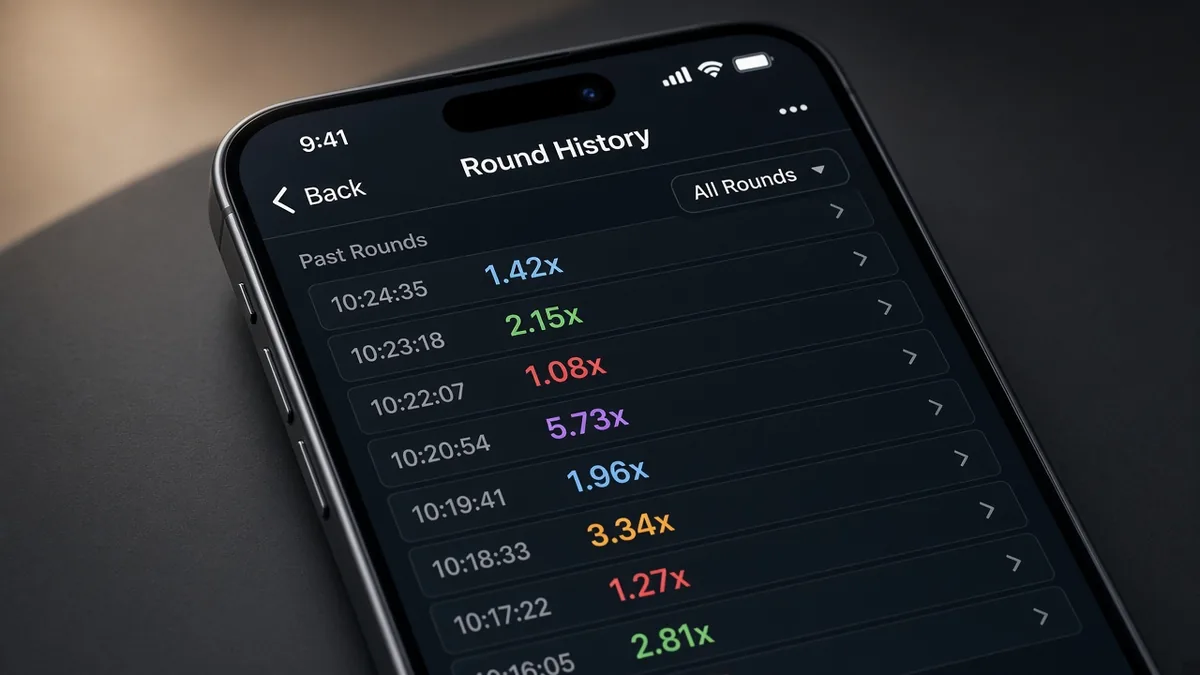
Search results for “how to check Aviator history”, “Aviator game history”, and “Aviator previous rounds” usually mean a practical UI job: open the list of finished multipliers (and sometimes your own bets) inside the live client. That is a how-to topic. It is not a system that reveals the next crash.
This page explains where history usually lives, how to read it, what it is useful for, and where screenshots of past rounds get misused as “proof”. We stay in the how-to / UI lane. If you came looking for a tip feed that claims to own tomorrow’s multiplier, that is a different search — see the Aviator predictor for why those claims fail. Here the product is the history panel on your screen.
Short answer
Aviator history is the in-client record of finished rounds — typically a scroll of past multipliers such as 1.24x, 2.87x, 1.05x — and, depending on the operator skin, your personal bet / Cash Out results for recent play. You open it from controls inside the Aviator frame (often a clock, list, or “History” / “Previous rounds” control), not from a random third-party “Aviator history checker” website.
Use this article to find and read that panel. Pair it with an Aviator balance screenshot when you need the wallet line for support. For practice without an operator account, use the Aviator Log In demo and look for the same history control there.
What people are actually searching for
The query mixes honest jobs and noisy ones:
- “how to check Aviator history”, “Aviator round history”, “previous Aviator multipliers”;
- “Aviator bet history”, “my Aviator results”, “Aviator game log”;
- support tickets after a disputed Cash Out;
- chat posts that paste a history strip as “signal proof”.
Wanting a clear round list is fair. Treating a strip of old multipliers as a forecast is a different claim — and this page will not sell that claim. Sellers sometimes glue “check history” to APK or Telegram ads so a familiar UI screenshot looks like insider access.
What Aviator history actually is
In the real Spribe Aviator client, history is a backward-looking UI surface:
- Round multipliers — finished crash points for recent rounds on that table / seed path the operator is showing.
- Personal results (when exposed) — your stakes, Cash Out points, and win / loss lines for recent bets.
- Session context — timestamps or order markers so you can scroll what just happened.
History does not move the round generator onto your phone. It does not unlock Provably Fair verification by itself (that is a separate fairness / hash flow where the operator exposes it). It does not guarantee that the next number will “correct” toward an average.
Operators can skin labels and icons. The job stays the same: show what already crashed, so you can review play — not so you can own the next flight.
How to open history in the client
Exact chrome differs by lobby, but the shape of the job is stable:
- Open Aviator from a casino you chose on purpose (or the Aviator Log In demo). Prefer paths you can explain — see real install routes habits that land in a normal web client.
- Find the history control — often near the top or beside the multiplier strip: a clock icon, list icon, “History”, “Rounds”, or a tap on recent multiplier chips.
- Open the panel and scroll. You should see finished multipliers; some skins also show your bets.
- Close and return to play when you are done. History is a review surface, not a second game mode.
If you cannot find the control, rotate the phone to landscape once, wait for the client to finish loading, then check the chrome again. Mid-load screens sometimes hide secondary buttons. Updating an outdated sideload APK is a separate risk — prefer the operator’s current web / official app path.
UI labels move across markets. “History”, “Previous”, “Rounds”, “My bets” can all point at related lists. Confirm you are reading finished rounds, not a live tip feed glued into a fake skin.
How to read what you see
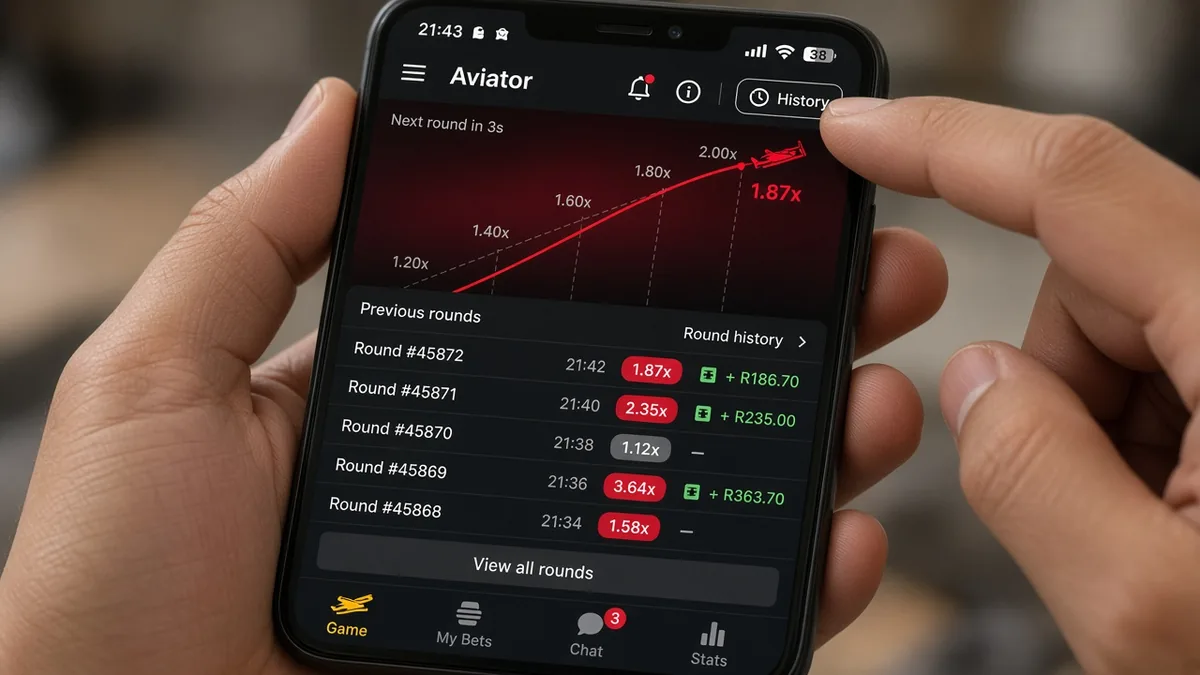
Once the panel is open:
- Multiplier list — each entry is a finished crash point. Low values and high values both appear; that is normal variance, not a “broken” table.
- Order — newest is usually at one end of the scroll. Do not reverse-engineer a pattern from twenty chips and call it a system.
- Your bets — if shown, check Cash Out vs crash. A late Cash Out after the plane already flew is a player timing fact, not proof of a hacked client.
- Balance vs history — wallet funds and round history answer different questions. Use Aviator balance screenshot habits when support asks for funds proof.
Cash Out remains a decision on the current round. History only tells you what already happened. Bankroll caps still do more for your evening than re-reading yesterday’s 10x.
If the panel is empty after you just played, refresh the client once. Some skins delay writes; some separate “global rounds” from “my bets”. Absence of a personal line is not proof that Aviator “deleted” a win — ask the operator with timestamps if money is wrong.
Common problems and what to try
Most “can’t see history” reports fall into a short list:
- Wrong surface — you are in a lobby games grid, not inside the Aviator frame. Launch the game first.
- Icon not loaded — wait for the client, or reopen from the operator lobby.
- Operator skin difference — labels and icon art change; look for round chips / list / clock near the flight UI.
- Fake “history checker” site — pages that ask you to paste seeds or install an APK to “unlock full history” are usually funnels, not the in-game panel.
- Screenshot-only “proof” — a cropped history strip in chat can be edited; it is not a fairness certificate.
If funds look wrong and history disagrees with your memory, capture both the history panel and the balance area, note the time, and contact the operator’s support from a page you navigated to yourself — not a Telegram admin who “fixes Aviator history” for a fee.
Also watch for overlays that redraw a fake history list over a splash screen. A real panel lives inside a playable Aviator client where you can still place a Bet and Cash Out after closing history.
History versus prediction (keep them separate)
Because past multipliers are public on the table, scammers screenshot them and caption “next is 5x”. That is marketing collage, not analysis. A strip of finished rounds is free information about the past. It is not a licensed forecast.
| What you see | Safer reading |
|---|---|
| In-client history after you open Aviator | Normal review tool — finished rounds only |
| Chat screenshot of multipliers + “signal” | Social proof costume — not tomorrow’s crash |
| Site: “full Aviator history unlock” | High risk funnel — prefer the in-game panel |
| APK that “exports secret history” | Sideload risk — history is already in the client |
| Claim: average of last 20 predicts next | Myth — averages do not book the next flight |
| Support asking for history + balance shots | Often legitimate — send only what they ask |
When a pitch needs you to confuse review with forecast, walk away. Delayed play beats a drained wallet.
What this site will not do
We will not host a live mirror of operator history databases, sell a “priority history API”, or tell you that scrolling past rounds unlocks the next multiplier. We will not treat Provably Fair hashes as optional decoration while pushing a tip bot.
Deposits, withdrawals, and dispute timelines stay between you and the operator. Public how-tos can map the UI; they cannot move cash. Prefer casinos from a casino list path you already trust when you choose where to play.
How to check history safely in 30 seconds
- Did you open Aviator inside a lobby (or demo) you chose — not a cold “history checker” link?
- Can you find a list / clock / previous-rounds control inside the playable client?
- Does the list show finished multipliers you can scroll — without asking for a VIP unlock?
- After closing history, can you still Bet and Cash Out normally?
- If someone needs “history proof”, would the claim still stand if every tip caption were removed?
For a no-deposit practice loop, stay in the Aviator Log In demo and learn the same control there. For install habits aimed at real web clients, use real install routes routes you understand.
What to do instead of hunting fake history tools
Bookmark the operator after a session where you successfully opened history. Review your own Cash Out timing if you care about discipline — not to invent a pattern system. Cap the bankroll before the next flight. If the panel is broken, use in-product support with clear timestamps.
If your real goal was fairness receipts (hashes / seeds), that is adjacent but not identical to the history list — do not buy an APK that merges both into one “unlock”. If your real goal was a shortcut, stop: history cannot see the next crash.
Keep expectations honest. Opening history means you can audit what already happened under that client’s rules. It does not smooth the RNG. Session timers and walking away still beat any “history strategy” myth.
FAQ
Where is Aviator history in the game?
Inside the Aviator client itself — usually a history / rounds / clock control near the multiplier strip or header. Exact icons vary by operator skin. You will not get a more “official” list from a random third-party checker site.
Does history show the next multiplier?
No. History lists finished rounds. The next crash is not stored as a readable tip in that panel.
Why can’t I see my personal bets in history?
Some skins show global round multipliers only; others add “my bets”. Incomplete registration, a different account, or a delayed UI write can also hide personal lines. Refresh once, then ask the operator if money is wrong.
Is a history screenshot proof for support?
It can help as context when paired with time, amount, and a balance shot. It is not automatic proof of a payout error, and cropped images are easy to edit. Follow the operator’s ticket process.
Can I use past multipliers to build a winning system?
You can review your own discipline. You cannot turn a public strip of finished crashes into a reliable forecast. Anyone selling “history = next 10x” is mixing review with prediction.
Is this site the official Aviator history page?
No. aviator-log-in.com is an independent explainer. We are not Spribe and not your casino. The live history panel lives in the operator’s Aviator client.
What should I open if I only want to practice?
The Aviator Log In demo teaches Cash Out and usually exposes the same history-style controls without an operator password. When you play for real, return to that brand’s own client — not a clone “history unlock” APK.